



Your reading
Zotero
Keep your reference library and attachments organised.
 ScholarServer
Self-hosted research software
Install and manage research applications from one dashboard. Connect your notes, papers and selected folders to compatible AI tools when you choose.
In development. No public installer yet. Wait for a published release before renting a server for ScholarServer.
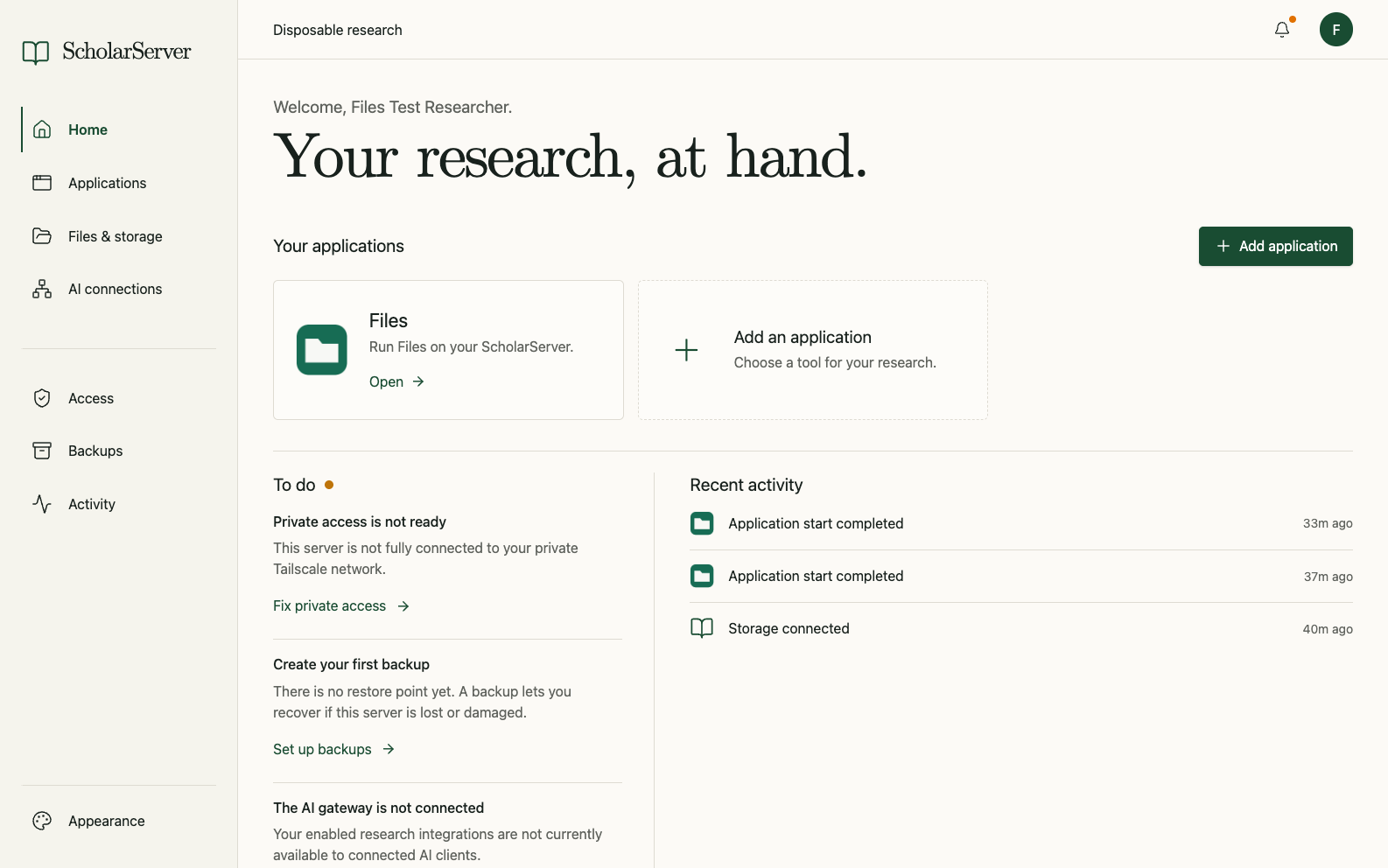
Applications
Install applications from the catalog, configure their connections and review updates. The applications below are in development; available features depend on the release.
Your reading
Keep your reference library and attachments organised.
Your notes
Work with Markdown notes and choose the sync setup that suits you.
Your thinking
Connect ideas in an outline-based research workspace.
Your interests
Follow journals, blogs and other feeds in your own reader.
Your documents
Turn documents into structured text for further work.
Your material
Give connected assistants access to the folders you choose.
Apps have their own licences and requirements. Some features need a separate account or subscription; availability varies by app and release.
Hosting and access
Rent a server from a provider or use your own hardware. ScholarServer isn’t a managed hosting service.
Install Tailscale on each device you use to reach the dashboard. Public AI access is configured separately; it does not make the dashboard public.
Connect compatible AI applications to supported app tools. You choose what to connect; requests may send research data to the AI provider you use.
Setup
Rent a Linux server or use your own hardware. Check the release requirements before purchasing.
Use Terminal or PowerShell to connect to the server and run the installer. Open its private setup link in your browser.
Install apps from the catalog, connect your accounts, and set up backups.
You need administrator access to the server. Everyday application management happens in the browser.
Requirements and responsibilities
You pay your chosen provider for the server, or cover the cost of your own hardware. Storage, off-site backups, AI services and some app features may have separate costs. Check those services before committing.
Not for the recommended Tailscale setup. Using your own domain is an option for setups that need it.
You control where your server stores its data and which integrations you enable. Connected cloud storage, sync services or AI providers may receive data when you use them. Self-hosting does not remove the need for good access controls and backups.
ScholarServer is in development. This website is a preview; the official public installer is not available yet. Please wait for a published release before renting a server specifically for ScholarServer.
You do. Use ScholarServer to install apps, manage updates and make backups. You remain responsible for maintaining the server and testing recovery.
Server requirements, connection steps and access options.
Read the getting-started guide Development preview · Public installer not yet available